Download RaceBox free on android
APK file RaceBox 2.2.4How to install APK / APKS / OBB file on Android
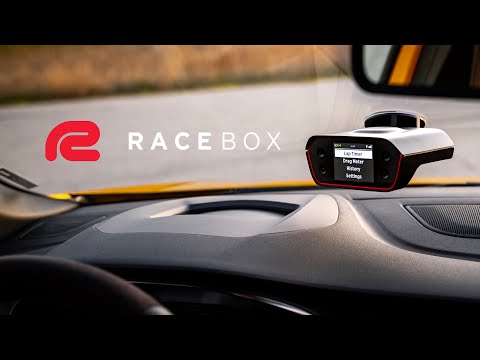

Unleash the Full Potential of Your Driving Experience
In the modern era of cutting-edge hardware, having easy-to-use, dedicated software is essential to elevate the experience to the next level. That’s why we’ve meticulously designed the RaceBox app to perfectly complement RaceBox devices, delivering an unparalleled combination of performance, precision, and ease of use.
With a sleek and intuitive interface, seamless integration, and advanced features, the RaceBox app ensures every moment on the track or drag strip is more engaging, insightful, and fun:
* Comprehensive Data Analysis: Effortlessly analyze your performance with simple and in-depth tools, including graphs for speed, acceleration, and more.
* Secure Cloud Storage: Sync all your sessions with RaceBox Cloud to keep them safe and accessible anytime, anywhere.
* Race Circuit Library: Access a library of over 1,500 predefined race circuits worldwide.
* Analyze with Video: Watch your videos paired with real-time data, like speed, acceleration, and lap times, to gain deeper insights and improve your performance.
* Video Overlay Made Simple: Record live video directly within the app or import footage from a third-party action camera. Easily overlay your RaceBox data onto the video for a complete driving analysis experience.
* Automatic Drag Slope Correction: Get precise drag times with automatic slope correction for each run.
* Session Organization: All your sessions are automatically sorted by date, type, best time, and more for easy navigation.
* Multi-Device Management: Connect and manage multiple RaceBox devices under one account for maximum convenience.
The RaceBox app works hand-in-hand with our advanced hardware to provide a complete experience that redefines driving performance tracking and analysis.
Note: The app requires additional RaceBox hardware and does not function as a standalone product.
- LicenseFree
- File nameRaceBox
- File Version2.2.4
- Package namepro.RaceBox.androidapp
- Size14.8 MB
- UploadedAugust 19, 2026
- Android10 or later

- CategoryAuto & Vehicles
- DeveloperRaceBox Motorsport LLC
- Developer sitehttps://www.racebox.pro/
- Developer emailoffice@racebox.pro
- md5 hash7fad6e296e09e4f70bc811e9b964d23a
- Architecture-
- Permissionsshow (23)

